Best Free SEO Reporting Tools: Build a Report Without Buying a Dashboard
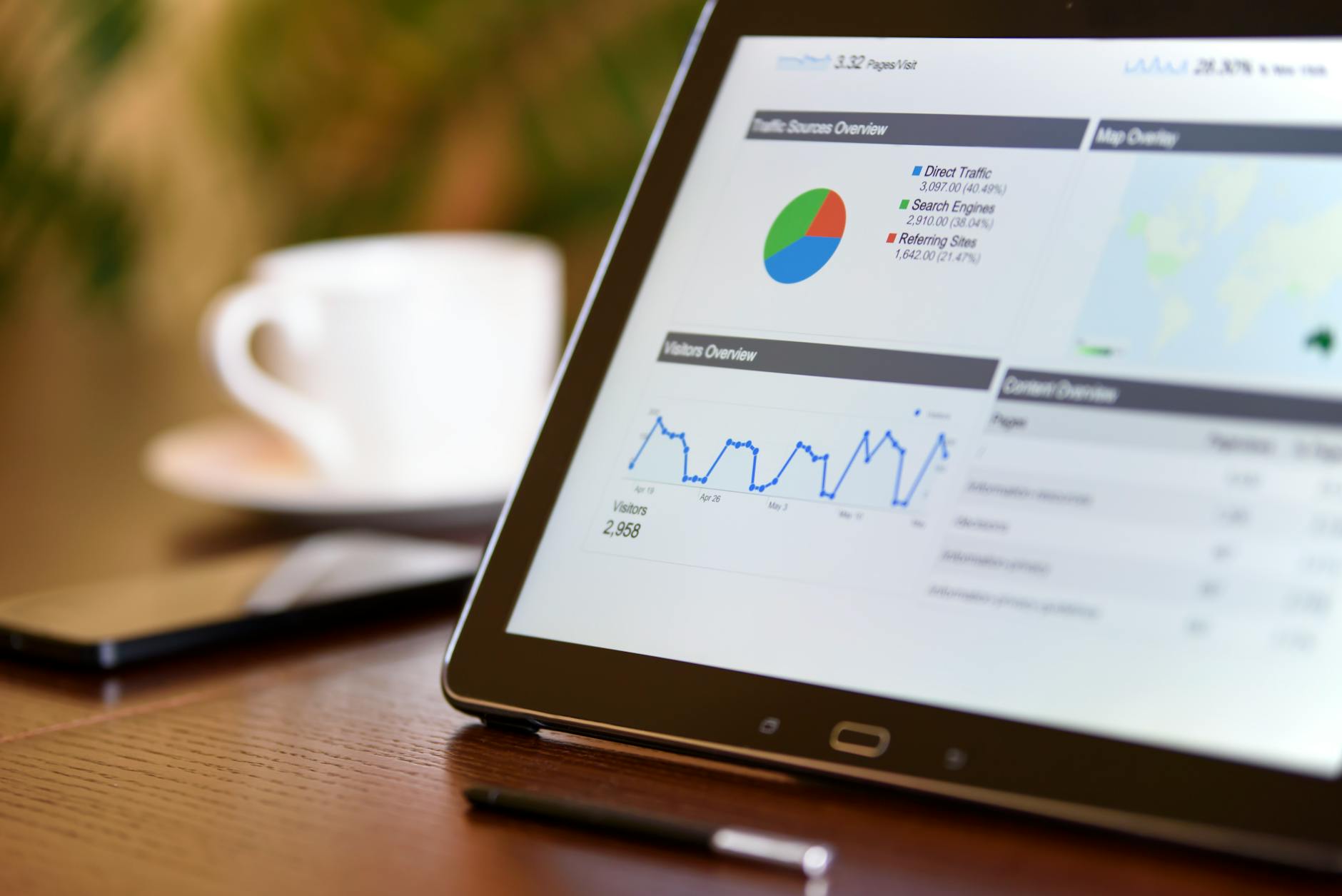
The best free SEO reporting stack is a compact decision system: Search Console for search visibility, GA4 for post-click behavior, Looker Studio for repeatable presentation, Bing Webmaster Tools for additional evidence, and a controlled sheet for context, ownership, and next actions.
Table of Contents
- What is the best free SEO reporting stack?
- What should an SEO report include?
- How do Search Console and GA4 differ?
- How should you build a free Looker Studio dashboard?
- Where do free SEO reports break down?
- When should you pay for SEO reporting software?
- Frequently Asked Questions
What is the best free SEO reporting stack?
The strongest free stack combines Search Console for Google outcomes, GA4 for site behavior, Looker Studio for repeatable views, Bing Webmaster Tools for another search surface, and a small sheet for annotations and decisions. No single free tool covers the full chain.
Search Console should be the foundation because it records Google Search clicks, impressions, click-through rate, and average position. Google’s Search Console metric definitions explain each measure.
GA4 adds engaged sessions, key events, landing-page behavior, and other site activity. It connects acquisition patterns with on-site outcomes when tracking is configured responsibly.
Looker Studio is the presentation layer. Recurring reports should use consistent filters, date comparisons, definitions, and page groupings. Looker Studio provides a no-cost visualization surface, while Bing Webmaster Tools adds another search-engine perspective.
Use a sheet as the control layer. Record reporting dates, releases, migrations, campaigns, tracking changes, hypotheses, and assigned actions. For a broader measurement framework, see how to measure SEO.
What should an SEO report include?
A useful report answers what changed, why it may have changed, what business outcome moved, and what action follows. Include clicks, impressions, CTR, landing pages, conversions or micro-conversions, technical exceptions, and clearly labeled hypotheses.
Start with an executive decision section covering the reporting period, comparison period, major movement, likely explanation, confidence level, and next action. “Organic clicks declined” is an observation; “Clicks declined after the template change; investigate affected page groups” is a decision.
The core search section should include:
- Clicks and impressions, with the comparison method stated.
- CTR and average position, interpreted together.
- Queries, pages, countries, devices, or search appearances when they affect a decision.
- Branded versus non-branded segmentation where classification is reliable.
- Top gains and losses by landing page or page group.
The behavior section should connect organic entrances to useful actions such as purchases, leads, sign-ups, downloads, or contact submissions. Label these as conversions only when analytics defines them clearly.
Add a technical exceptions section rather than an audit dump. Include only issues that could change interpretation or require action: indexing anomalies, broken templates, tracking gaps, redirects, sudden traffic loss, or important pages disappearing from search.
Finally, include an action register with an owner, due date, affected pages, expected outcome, and status. Use free SEO audit tools separately if the technical portion needs deeper treatment.
 Photo by Atypeek Dgn on Pexels
How do Search Console and GA4 differ?
Search Console describes visibility and clicks in Google Search; GA4 describes activity after users reach the site. Their numbers will not match perfectly because they measure different events and use different attribution, privacy, and aggregation rules.
Search Console shows how often a property or page appeared, its clicks, and how results varied by query, device, country, or date. Google warns that property-level and page-level aggregation differ, so totals may not equal the sum of every visible row. Google’s aggregation guidance is essential when explaining discrepancies.
GA4 depends on tagging, consent behavior, event definitions, session processing, attribution settings, and filters. A user may click a result but leave before an analytics event is recorded, or a returning user may be attributed differently from the original search visit.
Treat the tools as complementary evidence. Search Console answers, “Did Google Search expose and send traffic to us?” GA4 answers, “What happened after tracked users arrived?” Neither alone proves revenue causation. Keep their metrics separate without forcing identical totals.
You can link Search Console with a GA4 web stream when verified ownership and required Analytics permissions are available. Google documents those conditions in its Search Console and Google Analytics linking instructions. Linking improves access but does not make the datasets identical.
How should you build a free Looker Studio dashboard?
Connect only decision-relevant data, define date comparisons once, separate branded and non-branded search, and pair trend charts with an action table. A reusable dashboard saves time; an overloaded dashboard automates confusion.
Build the first page for decisions. Put reporting period, comparison period, organic clicks, impressions, CTR, average position, selected business outcomes, context, and open actions near the top.
Use separate pages for search performance, landing-page behavior, and technical exceptions. Keep filters predictable so readers can identify the applicable date range, property, country, device, and channel.
| Source | Role | Best metric | Limitation | Cadence |
|---|---|---|---|---|
| Search Console | Google Search visibility | Clicks and impressions | Search-only evidence and aggregation differences | Weekly or monthly |
| GA4 | On-site behavior | Key events from organic traffic | Depends on tracking and attribution setup | Weekly or monthly |
| Looker Studio | Reusable presentation | Consistent comparisons and views | Inherits source-data quality | Each reporting cycle |
| Bing Webmaster Tools | Additional search evidence | Bing clicks and impressions | Covers a different search surface | Monthly |
| Google Sheets | Governance and context | Actions, annotations, and owners | Manual maintenance | Each reporting cycle |
Create charts only when they support a question: a time series identifies change, a table prioritizes pages, and a comparison tests a hypothesis. A decorative score or blended index can hide more than it explains.
Google notes that Search Console reporting inside Analytics does not provide the same time-series chart experience, supporting use of a dedicated reporting surface. Document metric definitions and maintain annotations alongside the dashboard.
 Photo by Christina Morillo on Pexels
Where do free SEO reports break down?
Free stacks demand more setup, governance, annotation, and quality control than paid reporting software. They also lack some white-label delivery, alerting, client management, warehousing, and support, so agencies must price the manual operating cost honestly.
Someone must confirm the correct property, stream, filters, conversions, and date ranges. A polished dashboard can make bad configuration look authoritative. Free products may also have freshness delays, changing interfaces, connector behavior, quotas, or evolving terms.
Free reporting is not analysis. It can show that visibility changed, but it cannot automatically explain seasonality, technical releases, competitor movement, search demand, or content quality. Use SEO forecasting for planning scenarios, and label forecasts as assumptions.
When should you pay for SEO reporting software?
Pay when repeated data preparation, access management, client delivery, or error risk costs more than the subscription. Stay free while the report remains stable, reviewable, and fast to produce; upgrade to remove a measured bottleneck.
Track hours spent collecting data, repairing connectors, preparing commentary, exporting reports, handling permissions, and answering avoidable client questions. Paying may make sense when you need:
- Reliable scheduled delivery across many stakeholders.
- White-label reports and consistent client permissions.
- Cross-platform data in one governed workspace.
- Alerts tied to meaningful changes.
- Historical storage or workflows beyond native products.
- Support that reduces diagnosis and maintenance time.
Do not buy merely for more metrics. Ask whether the product improves a decision, reduces manual work, lowers error risk, or strengthens accountability.
The best free stack can remain right for a small team. A paid platform is justified when it removes a measured constraint, not because it is automatically more truthful.
Frequently Asked Questions
Can you create SEO reports for free?
Yes. Search Console, GA4, Looker Studio, Bing Webmaster Tools, and Google Sheets can support recurring reports without a dashboard subscription. Setup, validation, annotations, interpretation, and maintenance still require time.
Is Looker Studio free?
Looker Studio offers a no-cost visualization surface, but connected sources, connectors, permissions, quotas, or related services may have separate conditions. Verify current details before relying on a workflow, and recheck checkout pages or paid connector pricing on 2026-09-02.
Why do GA4 and Search Console disagree?
They measure different stages and processes. Search Console records Google Search visibility and clicks; GA4 records tracked site activity. Privacy handling, consent, tagging, attribution, aggregation, time zones, and processing can affect totals. Compare trends and definitions instead of expecting exact reconciliation.
When is paid SEO reporting software worth it?
Consider it when manual collection, client delivery, permissions, alerting, or error correction creates a measured recurring cost. Document the bottleneck, then test whether the product removes it. If the free report is stable and quick to review, additional charts alone are not a strong reason to subscribe.
FAQ
Can you create SEO reports for free?+
Yes. Search Console, GA4, Looker Studio, Bing Webmaster Tools, and Google Sheets can support recurring reports without a dashboard subscription. Setup, validation, annotations, interpretation, and maintenance still require time.
Is Looker Studio free?+
Looker Studio offers a no-cost visualization surface, but connected sources, connectors, permissions, quotas, or related services may have separate conditions. Verify current details before relying on a workflow, and recheck checkout pages or paid connector pricing on 2026-09-02.
Why do GA4 and Search Console disagree?+
They measure different stages and processes. Search Console records Google Search visibility and clicks; GA4 records tracked site activity. Privacy handling, consent, tagging, attribution, aggregation, time zones, and processing can affect totals. Compare trends and definitions instead of expecting exact reconciliation.
When is paid SEO reporting software worth it?+
Consider it when manual collection, client delivery, permissions, alerting, or error correction creates a measured recurring cost. Document the bottleneck, then test whether the product removes it. If the free report is stable and quick to review, additional charts alone are not a strong reason to subscribe.
Sources
Is AI recommending you?
Run a free AI visibility audit and find out in under a minute.