What Is Alt Text? Why It Matters More in the AI Era
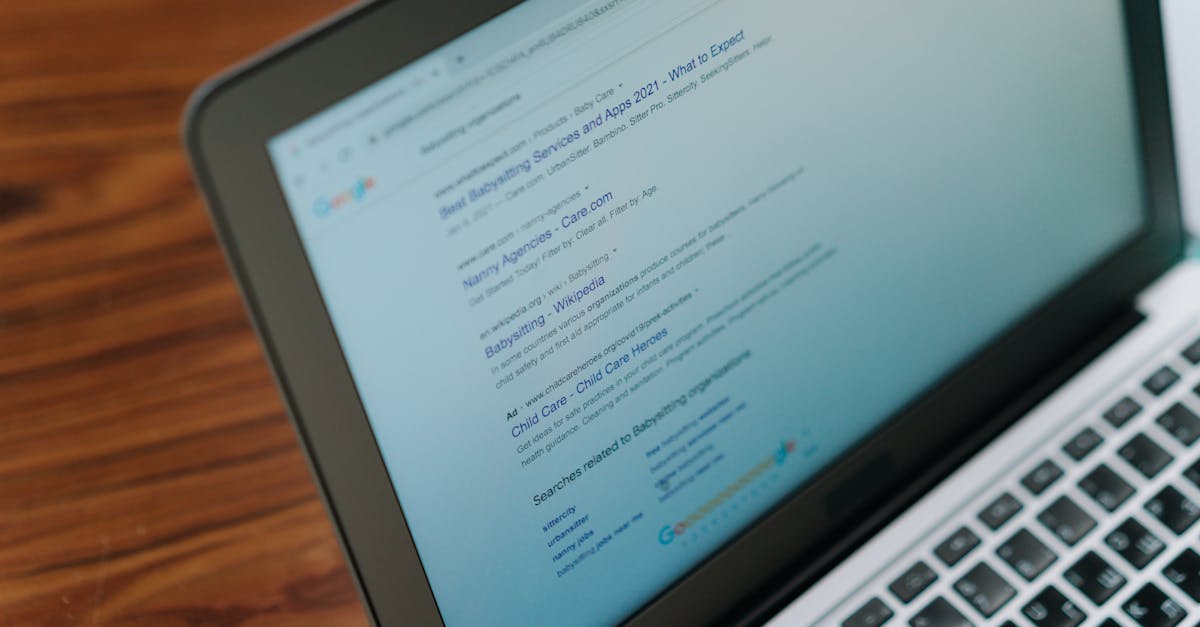
Alt text used to be an SEO checklist item — one more attribute to fill in before hitting publish. Now it's one of the only sentences on a page that a blind screen-reader user, a search engine, and a multimodal AI model will all read in exactly the same form. That triple duty is why it deserves more than the one-line mention most style guides give it.
What is alt text?
Alt text (short for "alternative text") is a written description added to an image's HTML so screen readers can announce it and search engines can index it. It lives in the alt attribute of an <img> tag, and it's also what a browser shows if the image itself fails to load.
The word "alternative" is the important part. Alt text isn't a caption and it isn't a tooltip — it's meant to stand in for the image entirely, for anyone or anything that can't see it. That's different from a visible caption (written for everyone) or a title attribute (a hover tooltip most screen readers skip). If a client says "just put it in the caption," that's not the same job — alt text has to exist even on images that have no caption at all.
One catch worth knowing: images added purely through CSS as background images don't get an alt attribute at all. If one of those carries real meaning, it needs an aria-label or a visible text equivalent nearby — otherwise it's invisible to screen readers and to most crawlers, no matter how central it is to the page.
The Web Content Accessibility Guidelines (WCAG) treat text alternatives for meaningful images as a baseline requirement, not a nice-to-have. Skip it, and a real part of your page goes missing for real people, not just for a crawler.
Why alt text matters
Accessibility comes first. Someone using a screen reader has no visual fallback — if the alt attribute is empty on a meaningful image, that information simply doesn't exist for them. Product photos, charts, screenshots, infographics: leave the alt blank, and that part of the page has a hole in it.
There's a compliance angle too. Accessibility lawsuits under laws like the ADA increasingly point to missing alt text as evidence that a site wasn't built for every user — one more reason this isn't a purely cosmetic fix.
Search visibility is the second reason, and it's real but secondary. Search engines can't see an image the way a person does, so alt text is one of the clearest signals they get about what an image contains and how it relates to the page around it. That's part of why alt text still shows up in every serious on-page SEO checklist — a small detail that compounds across a site full of images.
There's a channel most sites underuse here, too: image search. A specific, well-written alt attribute can help a product photo surface in image results on its own, pulling in visits from people searching visually instead of by keyword. A blank alt attribute closes that door before it opens.

How to write good alt text
Good alt text describes what's actually in the image — briefly, specifically, and in the context of the page it's on. It skips filler like "image of" or "picture of," since a screen reader already announces that it's an image before reading the description.
A few ground rules:
- Be specific. "Bag" tells a screen reader user nothing useful; "red leather crossbody bag with gold clasp" does.
- Use page context. The right alt text for the same product photo can change depending on whether the page is about the bag's color, its material, or a styling guide it appears in.
- Keep it concise. Aim for roughly 125 characters or less — specific enough to be useful, short enough that a screen reader isn't reading a paragraph for every image.
- Don't keyword-stuff. Cramming several search terms into one alt attribute helps no one and reads as spam to people and machines alike.
- Use empty alt text for decorative images. A divider graphic or background flourish that adds no information should get an empty alt attribute so screen readers skip it, instead of announcing something the user doesn't need to hear.
| Good alt text | Bad alt text | Why it matters |
|---|---|---|
| "Red leather crossbody bag with gold clasp" | "bag" | Specific beats vague — vague alt text describes nothing |
| "Woman hiking a rocky trail at sunset in Yosemite" | "hiking outdoor nature photo hike trail gear" | Keyword strings read as spam, not a description |
| Empty alt attribute on a decorative divider icon | "decorative flourish graphic" | Decorative images should stay silent for screen readers, not get a label |
| "AEOeye dashboard showing which AI engines cite a brand" | "screenshot" | Generic labels give a crawler or a user zero information |
Alt text in the multimodal AI era
Multimodal AI can now look directly at an image instead of relying only on the text around it — but that doesn't make alt text optional. If anything, it makes alt text the tiebreaker: the piece of text that tells a model what an image specifically means, not just what it generically shows.
Some people read "AI can see images now" as a sign that alt text is becoming redundant. That gets it backwards. Vision alone tells a model what's generically in a photo: a bag, a chart, a person on a trail. It doesn't tell the model your brand's name for that product, the specific claim your chart is making, or which of several similar-looking items on a page it's actually looking at. Alt text and the surrounding copy are what anchor a generic image to a specific, intended meaning — and that gap matters most on product pages, where "handbag" and "the Aria crossbody in oxblood" are very different answers for a shopper asking an AI engine to find one.
This is also where accessibility infrastructure and AI infrastructure start to overlap. AI agents that browse the web on a user's behalf often rely on the same accessibility tree that screen readers use — which means alt text you write for a blind user may be the exact same text an AI agent reads to decide what's on your page.
There's a practical crawling reality behind this, too. Running full vision inference on every image on every page is far more expensive than reading text, so plenty of multimodal AI crawlers still lean on text signals — including alt text — as the cheaper, faster read. For a lot of images, alt text may be the only description some AI systems ever actually process.
Alt text mistakes to avoid
Most alt text problems fall into a handful of repeat offenders:
- Empty alt on meaningful images. Leaving the alt attribute blank on a product photo or a chart isn't neutral — it erases the image for screen reader users and gives crawlers nothing to work with. Empty alt is only correct for purely decorative images.
- Keyword stuffing. Piling multiple search terms into one alt attribute doesn't help rankings; it reads as spam and actively hurts the screen-reader experience it's supposed to serve.
- Redundant phrasing. "Image of," "picture of," and "graphic showing" are wasted words — screen readers already identify images as images before reading the alt text that follows.
- Missing alt text on product images. These are usually the highest-value images on the page, and the ones most often left blank because they were added in bulk through a CMS or catalog import.
- Using the file name as alt text. A file name technically fills the attribute but describes nothing — it's the accessibility equivalent of not writing alt text at all.
- Alt text that doesn't match the image. Describing a different product, an old version, or the wrong color than what's actually shown misleads both screen reader users and any system trying to match the image to the page's content.
Pairing accurate alt text with clean product markup — see our guide to structured data for AI — gives both the image and the page around it the same consistent story to tell.
How does alt text fit into AI visibility?
Alt text alone won't get a brand cited by ChatGPT or Perplexity. But it's one more place where an AI system can confirm what you actually sell, show, or stand for, and that consistency is part of what separates brands AI engines mention confidently from brands they skip over.
It's also one of the easier wins on a longer list. Pair specific alt text with clean headings, real structured data, and fast-loading pages, and you've covered the technical basics that AI crawlers and traditional search engines both rely on — our technical SEO checklist walks through the rest.
If you want to see whether your images, and everything else on your site, currently give AI engines enough to work with, AEOeye audits how ChatGPT, Perplexity, Gemini, Google AI, and Claude see your brand right now, for free.
FAQ
What is alt text?+
Alt text (alternative text) is a written description added to an image's HTML alt attribute. Screen readers read it aloud so users who can't see the image still know what it shows, and search engines use it to understand and index the image. It's also what displays if the image fails to load.
Why is alt text important?+
Alt text is the only way screen reader users know what an image shows, so leaving it blank creates a real accessibility gap. It also helps search engines and AI systems understand what's in an image, which affects image search visibility and how confidently AI tools can describe your products or content.
How do I write good alt text?+
Describe what's actually in the image, specifically and briefly, using the context of the page it's on. Skip filler like "image of," avoid stuffing in keywords, and keep it under about 125 characters. Purely decorative images should use an empty alt attribute instead of a written description.
Does alt text help with AI search?+
Yes. Many AI crawlers read text far more cheaply than they run vision models on every image, so alt text is often the clearest — sometimes the only — signal an AI system gets about what an image shows. It also anchors specific meaning, like a product name, that a model can't guess from pixels alone.
Is AI recommending you?
Run a free AI visibility audit and find out in under a minute.